Plan your baby's outfit for later today
Pick the hour you're heading out and Layerly shows that hour's forecast and the outfit to match.
Plenty of walks don't start right now. There's a nap to finish, a feed to fit in, or an afternoon stroll you'd like to plan over breakfast. Until now, Layerly only answered for the weather outside this minute — which isn't much help when you're leaving at four.
So we made the time something you can choose.
Tap the time beside the weather
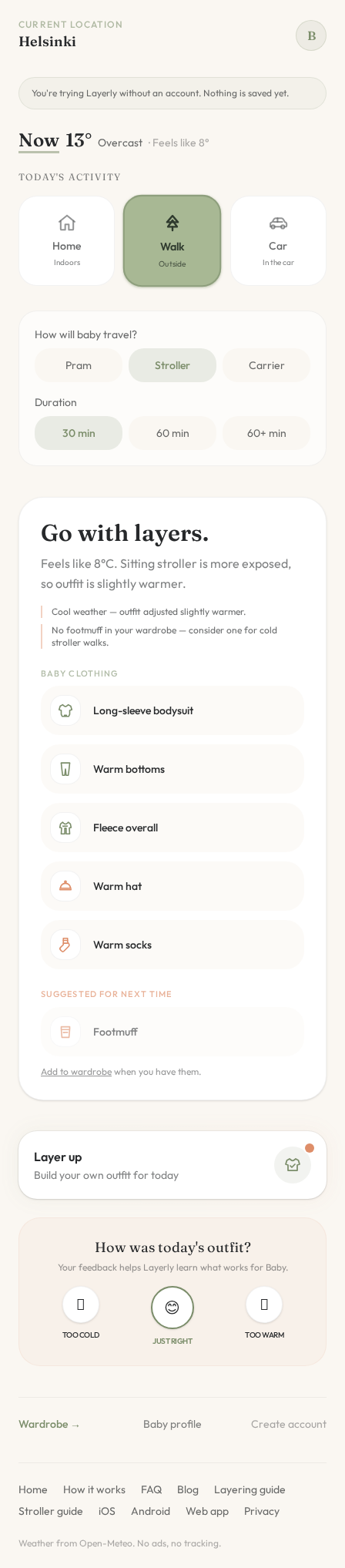
On the Today screen, pick Walk. Next to the temperature you'll see the word Now, underlined. Tap it and choose when you plan to go: in an hour, in two, or any later hour today.
Everything updates together
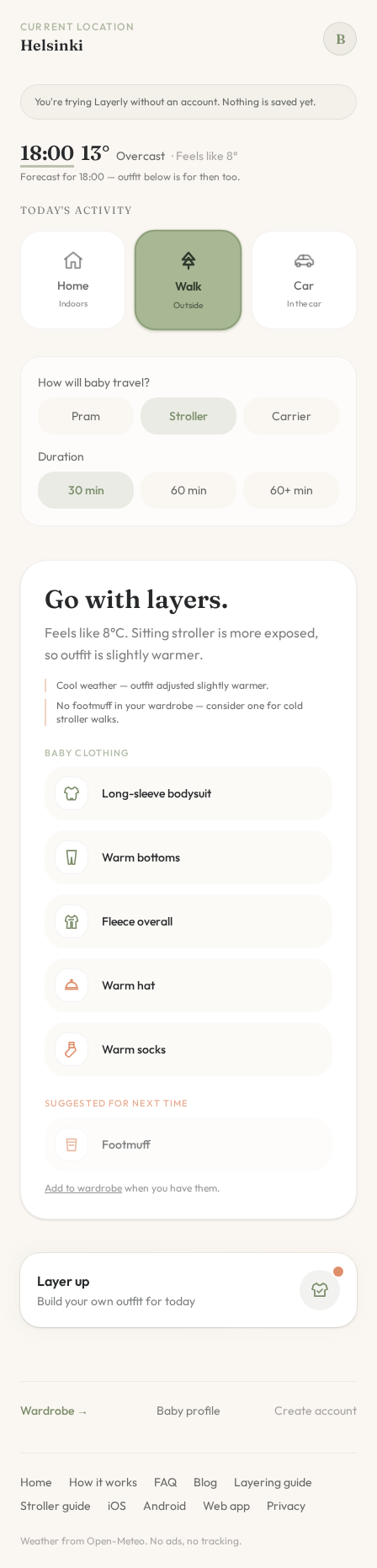
Once you choose a time, the temperature, conditions and feels-like reading switch to the forecast for that hour, and the outfit below follows. A short line under the weather reminds you that you're looking at a forecast, not the conditions outside right now.
Your travel choice and walk length stay as you set them, so you can compare a morning and an evening walk side by side and see what actually changes.
A forecast is still a forecast
Weather can change, especially a few hours out. Use the planned outfit to get things ready, then glance at Now before you leave — it only takes a tap to switch back.
Feedback after the walk is only asked about the current outfit, so what Layerly learns about your baby stays based on what they actually wore.
Try it
Open Today, choose Walk and tap Now. Next time you're planning an afternoon outing, you'll know what to lay out before the morning gets busy.